
I open every link I get pinged. Slack, email, GitHub notifications, calendar invites, all of it. The open tabs become my to-do list, and closing one means I dealt with it. It is a terrible system that I have no intention of giving up.
By Friday that is somewhere north of a hundred tabs across several windows, on each of the machines I work from. The same pull request is open three times, as /pull/482, /pull/482/files and /pull/482/checks. The same LinkedIn profile is open twice, once on the profile and once on the Experience page. A Jira issue is open as /browse/ENG-1201 and again as ?selectedIssue=ENG-1201 on a board. And the browser is quietly eating memory.
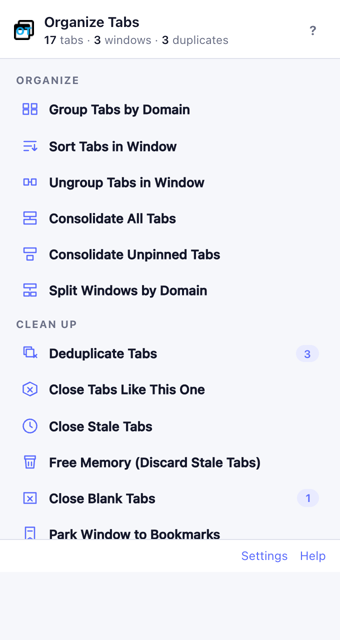
Back in 2020 I wrote a small Chrome extension called Organize Tabs to deal with this. It could collate tabs into windows by domain, consolidate them, sort them, and deduplicate exact URLs. I have used it every day since. It was also, if I am honest, a thin wrapper around the Chrome API with a Bootstrap button list, a dedupe that only matched exact URLs, and a few bugs I had learned to work around.
This week I rebuilt it. Version 2.0 is live on the Chrome Web Store, free and open source.
Duplicates, even when the URLs differ
Every tab deduper I tried compares URLs as strings, so none of the cases above count as duplicates. The new one works in two stages.
First, generic normalization: http and https are the same, so is www., the #fragment is dropped, trailing slashes are ignored, tracking parameters like utm_source and fbclid are stripped, and the remaining query parameters are sorted.
Second, a list of rules. Each rule is a regular expression tested against the URL and a key template. If a rule matches, the key is what gets compared, not the URL:
{
  "name": "GitHub pull request",
  "match": "^https?://github\\.com/([^/]+)/([^/]+)/pull/(\\d+)",
  "key": "github:$1/$2/pull/$3"
}
With that rule, every subpage of a pull request is the same tab. Nineteen rules ship by default, for GitHub, Bitbucket, GitLab, Jira, Confluence, LinkedIn, YouTube, Google Docs and Drive, Notion, HubSpot, Slack, Figma, Amazon, Stack Overflow, Reddit and X. They are editable JSON in the settings page, with a tester that shows which rule a pasted URL hits and the key it produces. If your site’s URLs should collapse and do not, it is a ten-line pull request.
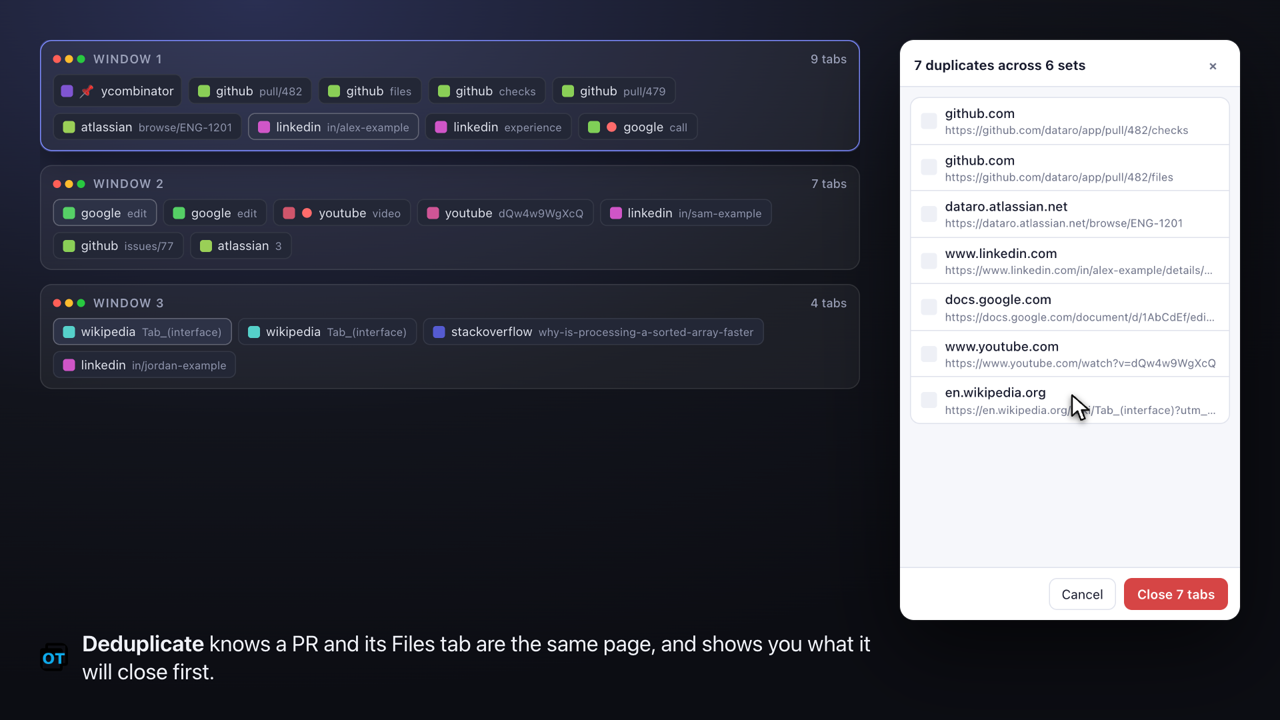
Which copy survives matters too. The pinned one wins, then the active one, then the most recently viewed. Nothing closes without a preview, and the last close can always be undone.
There is also an opt-in auto-deduplicate: open a link that is already open somewhere, and the new tab closes itself and takes you to the existing one. For someone with my habits this is the feature that stops the pile from forming in the first place.
Close tabs like this one
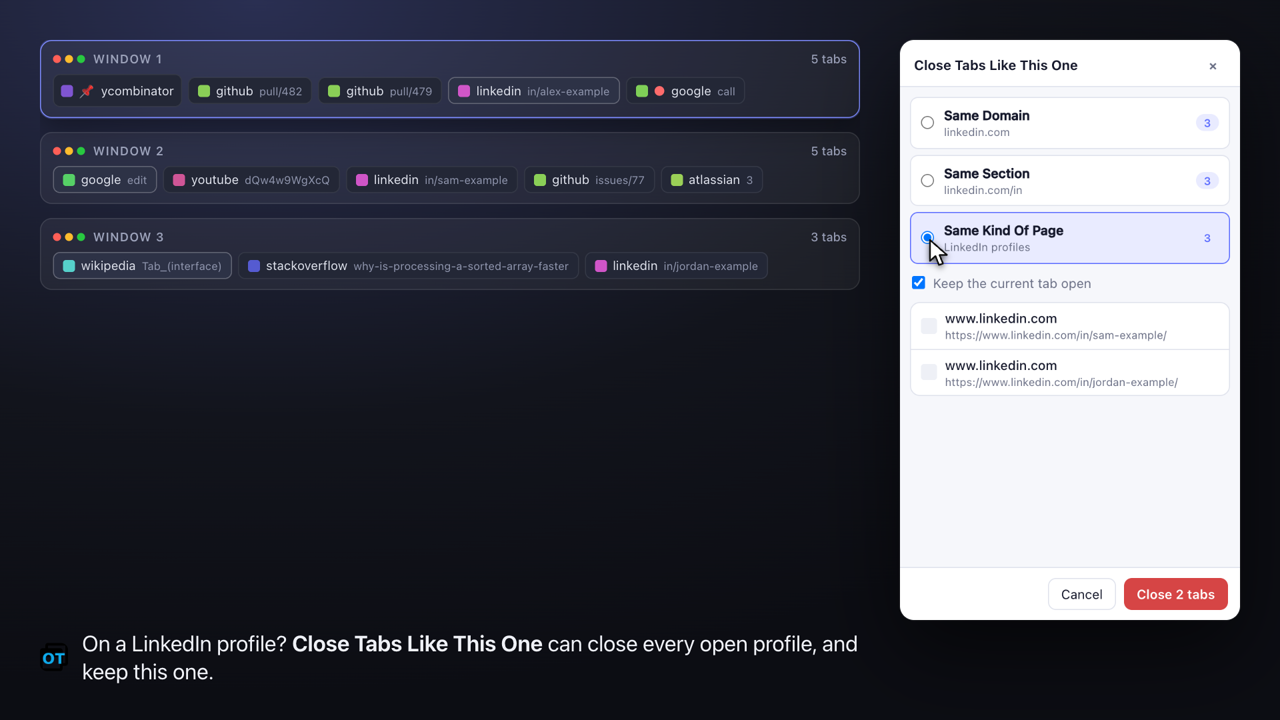
The old “Close all tabs from this domain” was a shotgun. Sometimes I want to close every LinkedIn profile I have opened, but not the feed. Sometimes every pull request, but not the issue I am reading.
The same rules power a scoped close. From any tab you get three choices: the same domain, the same section of the site such as github.com/myorg, or the same kind of page, which means every tab matching the same rule. There is a toggle to keep the tab you are on, and the preview shows exactly what will go.
Pinned tabs and tab groups are sacred
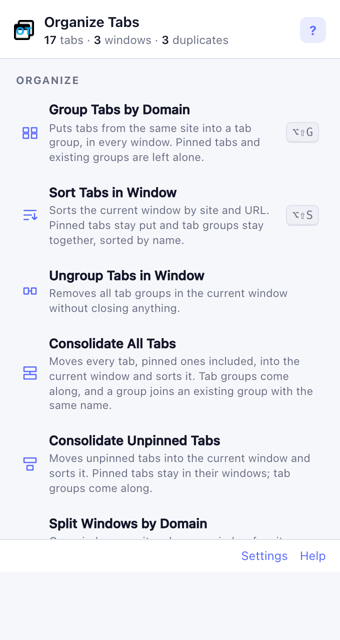
The old version would happily sort pinned tabs into the middle of a window, and consolidating windows dropped every tab out of its group, because that is what Chrome does when a single tab changes window.
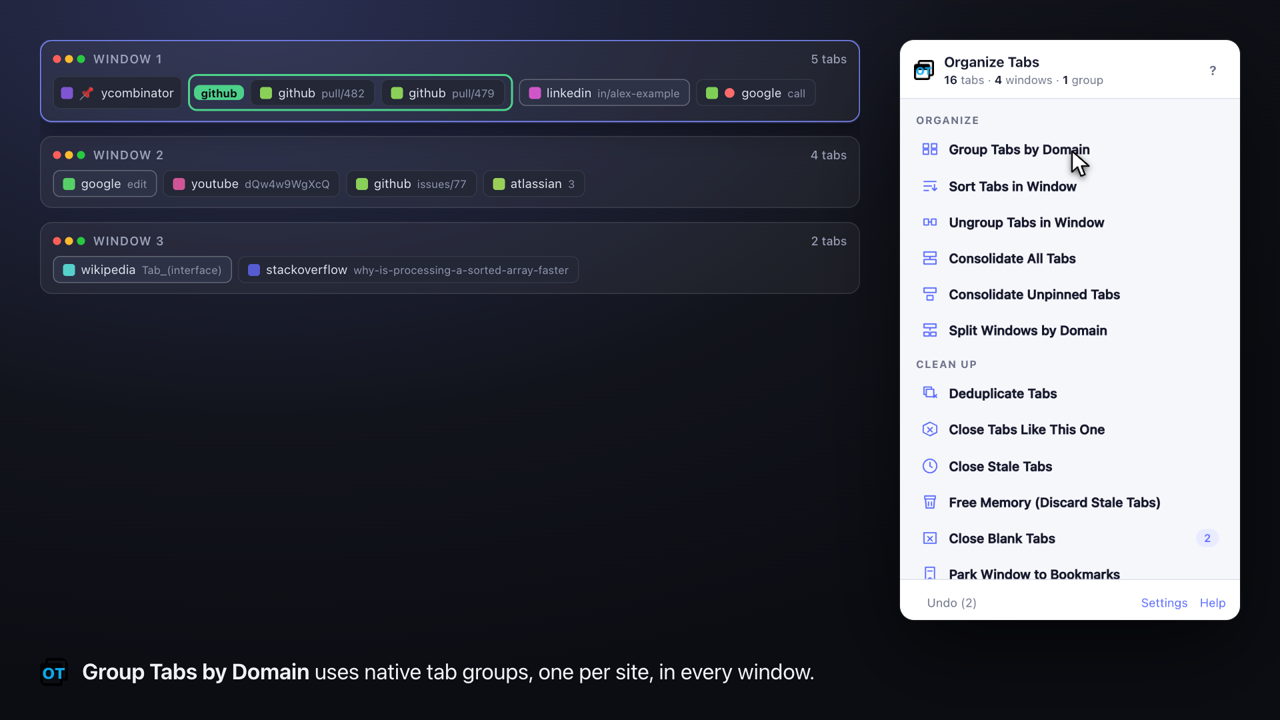
Now no action ever moves a pinned tab. Sort keeps groups contiguous and sorts them by name. Consolidate and Split move whole groups between windows with the tab groups API, and when the destination already has a group with the same name the incoming tabs join it. A new Group Tabs by Domain uses native groups instead of spawning windows, which is what the old “collate” really wanted to be.
Meetings are left alone
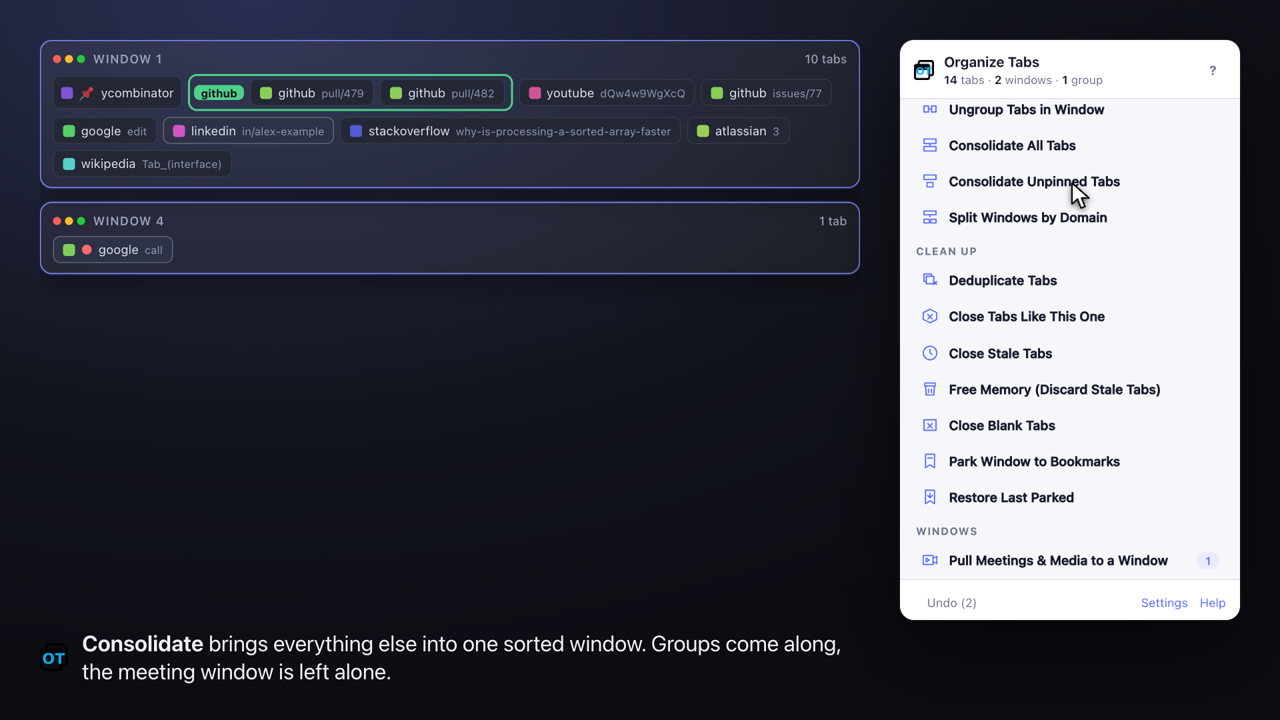
I am usually on a call while tidying. The thing I wanted most was for cleanups to never pull the meeting out from under me.
A tab counts as media if it is audible, or if it is on a meeting or player page: Google Meet, Zoom, Teams, YouTube and a dozen others, editable like the rules. Pull Meetings & Media to a Window gathers all of them into one window with one click. Consolidate and Split then leave that window alone.
The rest
- Close stale tabs you have not looked at in N days, or free memory by discarding them without closing.
- Park a window to a dated bookmark folder and close it, then restore it later as a tab group. Tabs as a to-do list, without the memory cost.
- Settings and rules sync with the browser profile. Export and import JSON to move between profiles, or point the extension at a rules file you host and it refreshes on a schedule. I run this on a lot of machines and profiles, and this was a big one for me.
- Keyboard shortcuts for every action, a duplicate count on the toolbar icon, a right-click menu, light and dark themes, inline help.
How it is built
Still vanilla JavaScript, Manifest V3, no build step, no dependencies. That was a deliberate constraint from the start and it held. The whole thing is a few files: a service worker that owns every tab operation, a pure module for the URL logic, a popup that only sends messages, and a settings page.
The pure module has a node --test suite. The part I am most pleased with is the end-to-end test: a script launches a real headless Chromium with the extension loaded, drives it over the DevTools protocol, seeds tabs, clicks every action, and asserts on the resulting windows, groups and pinned state. It runs in CI on every push with Chrome for Testing. The same harness records the demo video above, composing each frame from a live map of the browser’s windows next to the popup. No screen recorder, no editing.
Local browser testing never touches a real profile. Everything runs in what I have started calling the holodeck, a throwaway profile at ~/.holodeck/ that humans and AI agents can trash freely. make dev opens it with the extension loaded and two windows of sample tabs that hit every rule. That convention has already spread to my other projects.
Most of this was built pair-programming with Claude Code over a few days. The design calls were mine; the first draft of nearly every file, the test harness, and a review pass that found ten real bugs before release were not. I will write that up separately, because the interesting part was not the speed but how much of the work turned out to be deciding what the tool should refuse to do, like never moving a pinned tab.
Limitations
Chrome has no API for the tab strip’s right-click menu, so the actions live in the toolbar popup, the page context menu and keyboard shortcuts. Stale tab detection uses lastAccessed, which needs Chrome 121 or newer. Silent media detection is URL based, because telling a paused video from a playing one needs a content script, and I did not want one.
Get it
- Chrome Web Store: Organize Tabs. Works in Chrome, Brave and Edge.
- Source, issues and rule contributions: github.com/hacktoolkit/organize-tabs-chrome-extension
If you were using the old version, Chrome will ask you to accept a few new permissions, for tab groups, storage, bookmarks and alarms. Nothing leaves your browser; there is no tracking and no network request except the optional rules file you configure yourself.
Conversation
Comments are hosted by Disqus.